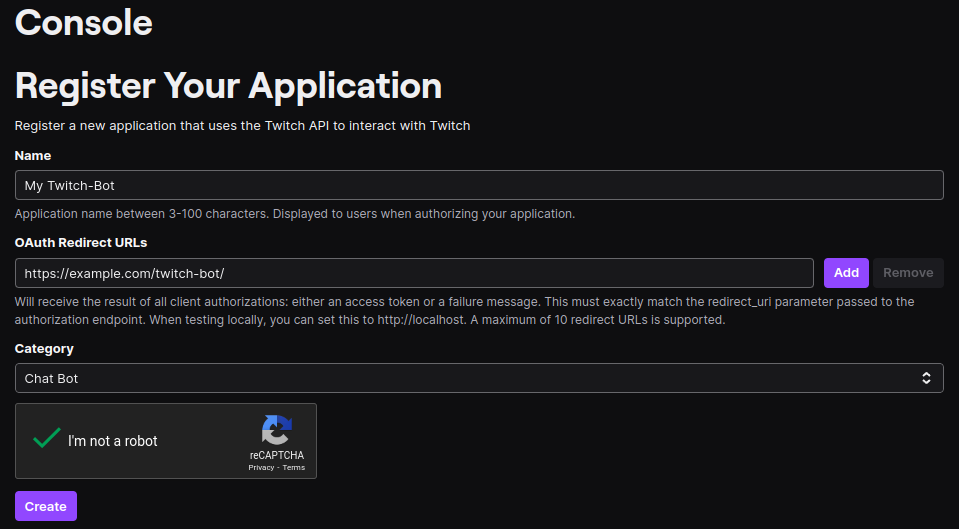
In order to communicate with Twitch you need to set up an application in the Twitch developers console.
In case you are setting up multiple Twitch-Bot instances, create one application per instance! Re-using an existing application even for a test-instance will lead to unexpected results like randomly breaking bot-authorizations!
Registering your application is a relatively straight-forward process:
- Go to https://dev.twitch.tv/console/apps/create
- Fill out the form you are presented with. You can choose any Name you want for your bot. I’d recommend using one you later will recognize your bot under.
- For the OAuth Redirect URL you need the URL you want to have the bot available under later. If you want to have it running locally you can choose
http://localhost:3000/instead ofhttps://my-bot.example.com/for this. In total you will need to set three redirect URLs:https://my-bot.example.com/- Used for logging into the Bot-Interface (mind the trailing/- you will get an error without it!)https://my-bot.example.com/auth/update-bot-token- Used to set the token your Bot will be using to talk to Twitch.https://my-bot.example.com/auth/update-channel-scopes- Used to set tokens for each Channel the Bot may act for.
- As Client Type use Confidential (with Public you will not get a client secret, we need that).
- After registering your application go into the application you’ve just created and click the New Secret button. Note down the Client-Id and Client-Secret in a safe place. You will need them in the Configuration step.